Talk it through. Keep it straight.
Ghostkey reads your whole manuscript, and two things are built on that. A chat that works on the book with you, with the page you're discussing open beside it. And a world bible that keeps track of every character, place and term the book has introduced.
Your book, open beside the conversation.
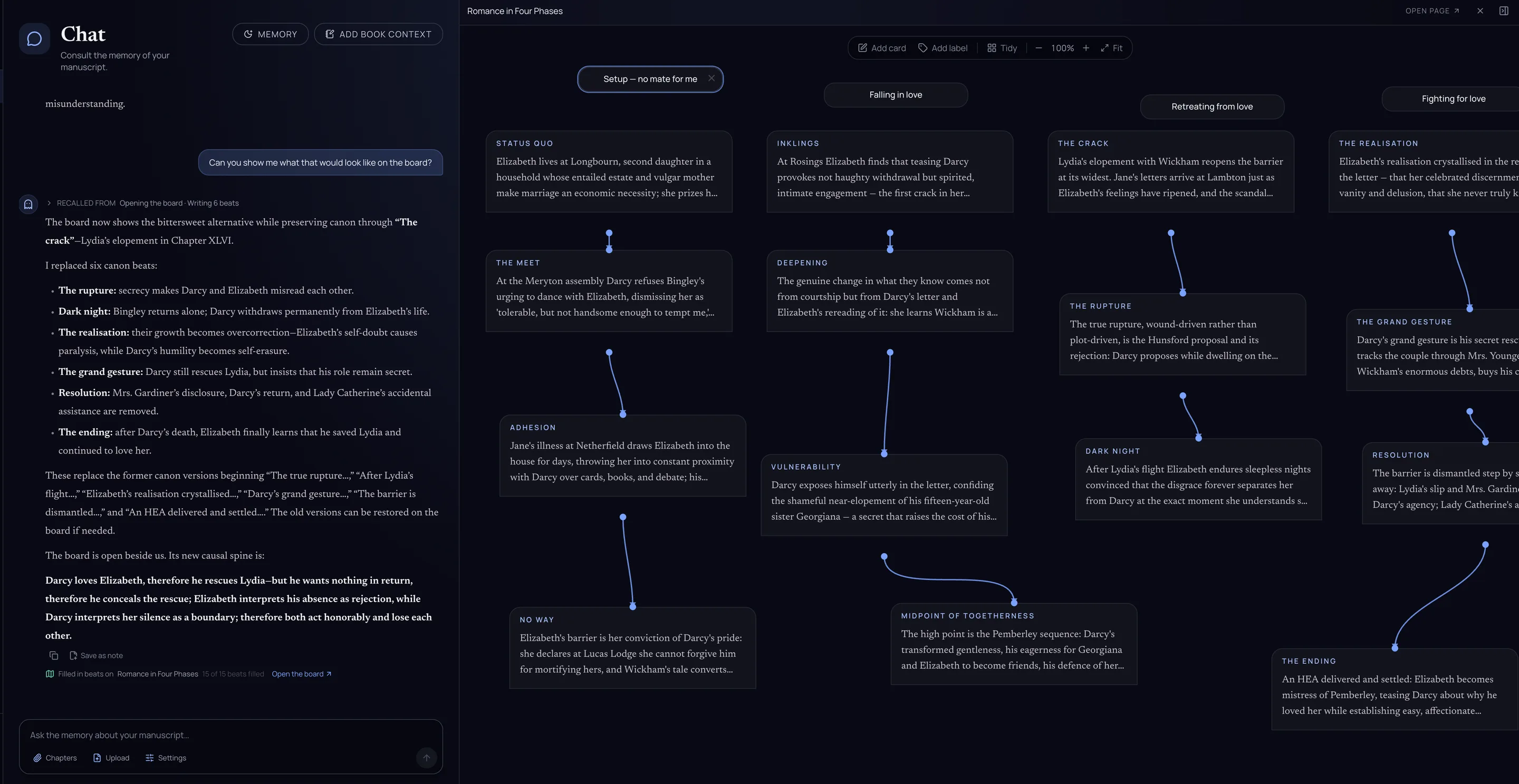
Ask about your manuscript and the chat answers from the pages themselves. When the conversation turns to a chapter, a beat board or your outline, it opens that page right next to itself, so you're both looking at the same thing while you talk it through.
-
You ask. In your own words, about any page. It has read every chapter, so you never paste one in.
-
The page opens beside you. A chapter, a beat board, your outline or your chapter plan. Drag the divider to make room, or open it full page.
-
Every change is listed. Under the answer, each thing the chat wrote, with a link to where it landed.
What you can do with it
- Think out loud.
- Where does the middle sag? Does the Court chapter still work if I fold these two? The chat answers from your pages, names the chapters it means, and follows up the way a reader who's been through the whole draft would.
- Try the what-if.
- Imagine a different ending out loud, and watch the beats change on the board beside you while the chat thinks it through with you.
- Plan the chapters.
- Talk through the plot, then ask for the chapter plan. It's written beside the chat, where you can adjust it and cut what you don't need, then create the chapters when you're ready.
- Line edit a chapter.
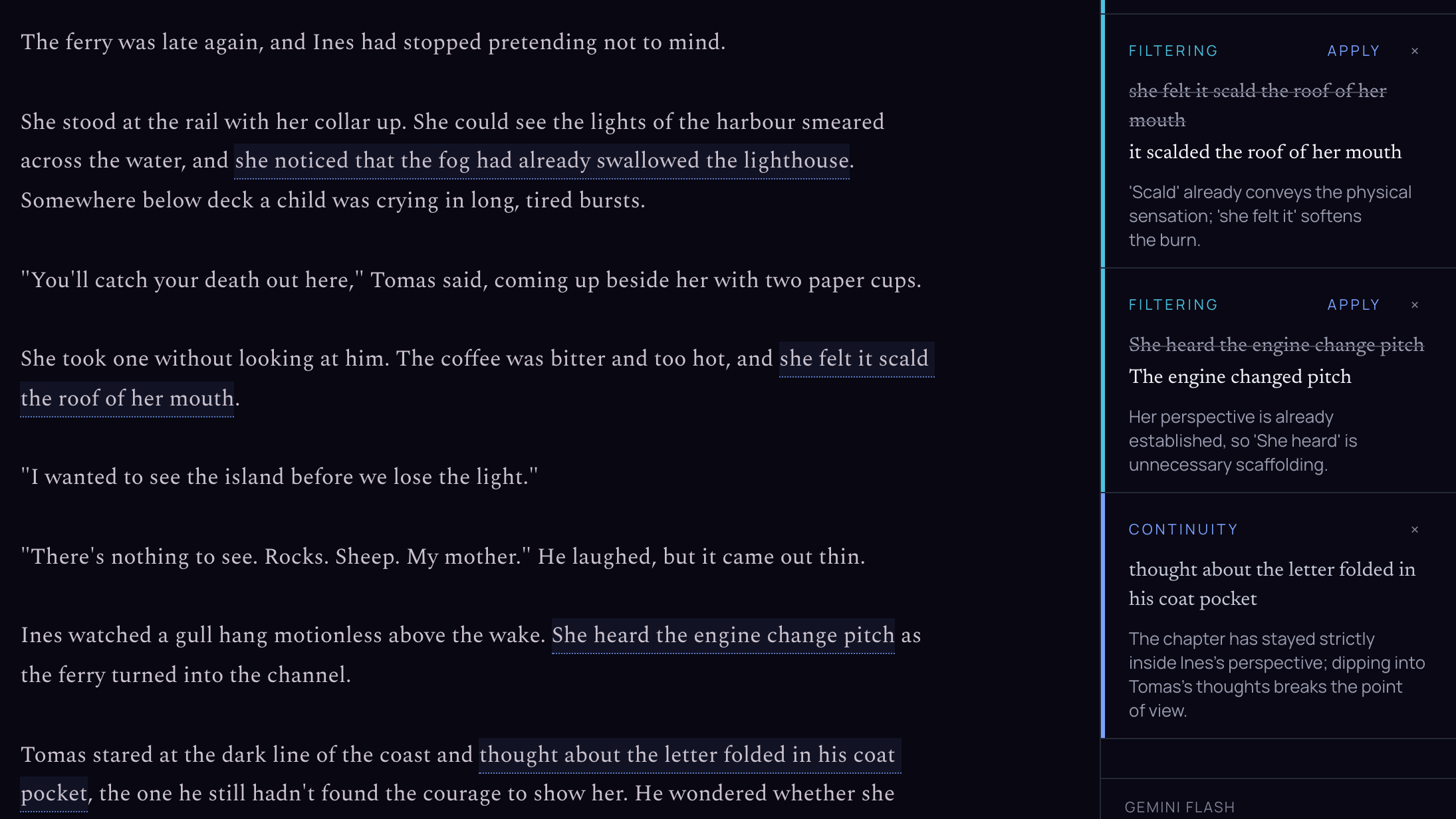
- Ask for a pass on a chapter and the notes land on it, beside the chat: filter words, point-of-view slips, a wording to try. Apply the ones you like, one at a time.
- Rewrite a passage.
- Agree on a change and the chat can make it in the chapter itself. It rewrites the passage you discussed and leaves the rest of the page alone.
- Keep what you found.
- A good idea mid-conversation can be saved as a note, or added to a character's sheet in the world bible, without leaving the chat.
Nothing changes behind your back.
A setting in the message box decides whether the chat may write in your manuscript at all. Set it to read-only and it will talk about your chapters without touching them.
Whatever it does write opens beside the conversation, so nothing lands out of sight, and line edits never apply themselves. And if you're typing in the chapter while the chat is changing it, your words win: it re-reads the page and works from what you wrote.
A world bible that keeps itself.
Every writer knows the ritual: you swear you'll keep the series bible updated this time, and by chapter twelve it still says your heroine has green eyes and no brother. In Ghostkey, the world bible reads your book. Write a new character into a chapter and they show up on their own: no form to fill, no sticky note to lose.
-
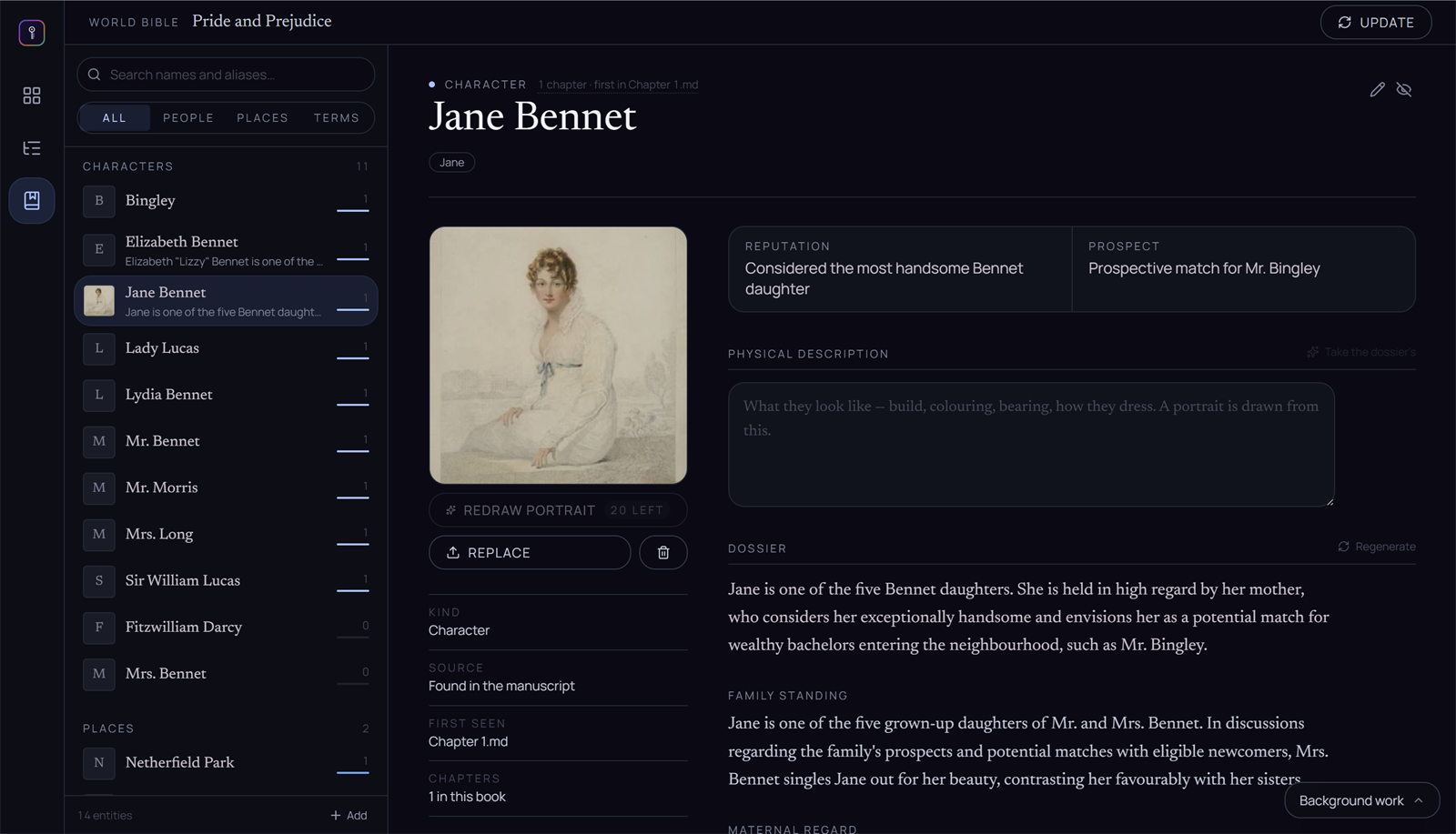
Everyone the book has met. Characters, places and terms, each with the number of chapters they appear in.
-
A portrait, if you want one. Drawn from what the book says they look like. Or upload your own.
-
A dossier from the pages. What has been established about them, chapter by chapter, and where they first appear.
You stay in charge
- Your word is final.
- The bible tracks what the book says, but your own entries and corrections always win over it. Fill in some sheets by hand, or all of them.
- Bring your own bible.
- Already keep one in a document? Import it. Your headings become the entries and your notes come in word for word. Importing only ever adds, so running it again fills the gaps.
- One bible per series.
- Books in a series share their bible. Open book two and the cast of book one is already there, with your notes and their portraits.
- Hide what isn't a name.
- If the bible picks up something that isn't a character, a place or a term, hide it. It stays out of your way and doesn't come back on the next read.
- Goal, motivation, conflict.
- A character's sheet can set out what they want, why they want it, and what stands in their way, outside and in.
It reaches the rest of the studio
- In the margins.
When a character walks into a scene, their sheet is there beside the chapter. No tabbing away mid-sentence to check whether the innkeeper was Marta or Merta.
- In dictation.
Dictation reads the bible, so your places and characters come out spelled right the first time, not "Kyerith" five different ways.
- In the chat.
The chat knows your cast. Ask who someone is, or tell it something new about them and it adds it to their sheet.
- On your phone.
Look someone up, or add a card while the idea is fresh, from ghost-key.app on your phone.